
CUI Discovery
CUI Identification
CUI management
.png?width=1774&height=887&name=ChatGPT%20Image%20Aug%203%2c%202026%2c%2001_58_56%20PM%20(3).png)

Defense contractors may have Controlled Unclassified Information distributed across millions of files, multiple repositories, legacy systems, employee devices, email environments, engineering platforms, and cloud services.
The challenge is not limited to protecting CUI the organization already knows about. Organizations must also determine where CUI actually exists, whether it is inside the documented security boundary, and whether new copies have appeared in unauthorized locations.
At enterprise scale, manual review cannot provide that visibility efficiently or consistently.
Consider an enterprise environment containing 21 million files.
Even if a reviewer could open, evaluate, and document each file in only 20 seconds, completing one review would require approximately 116,667 hours.
That equals more than 13 years of uninterrupted work, 24 hours per day. Under a conventional full-time schedule, it would represent approximately 56 work-years for one person.
The calculation also assumes every file can be evaluated in 20 seconds. In reality, reviewers may need to open attachments, interpret technical drawings, examine scanned documents, inspect contextual information, verify contract requirements, and document their conclusions.
Manual review becomes even less sustainable when the organization considers that CUI is not static. Files are created, downloaded, copied, emailed, restored, renamed, archived, and moved after the review is completed.
A point-in-time manual inventory begins becoming outdated almost immediately.
CUI is not defined by one universal data pattern.
Common sensitive information, such as credit card numbers or Social Security numbers, often follows recognizable formats. CUI can instead appear in technical drawings, engineering files, contract documents, specifications, reports, emails, images, scanned records, PDFs, archives, and other structured or unstructured formats.
CUI may also be:
These conditions make CUI discovery more difficult than ordinary keyword searching.
Traditional data-loss prevention, eDiscovery, and data-security platforms serve important purposes. Many are designed for broad enterprise data protection, access governance, legal discovery, labeling, or policy enforcement.
Those capabilities do not automatically produce a defensible CUI inventory.
A tool relying heavily on keywords, regular expressions, existing labels, or file names may generate large numbers of irrelevant findings. It may also overlook CUI contained in complex, visual, or poorly marked files.
The result can be one of two costly problems.
Security and compliance teams receive large result sets that require extensive manual review. The discovery process becomes another source of work rather than a reliable basis for scoping decisions.
Files outside the expected pattern remain undiscovered. The organization may then define its CMMC boundary, configure an enclave, or prepare assessment documentation using incomplete information.
The purpose of discovery should not be to produce the largest possible list. It should be to produce findings that can be validated, understood, and used.
A purpose-built CUI discovery process should do more than locate files containing certain words.
It should support an evidence-based workflow.
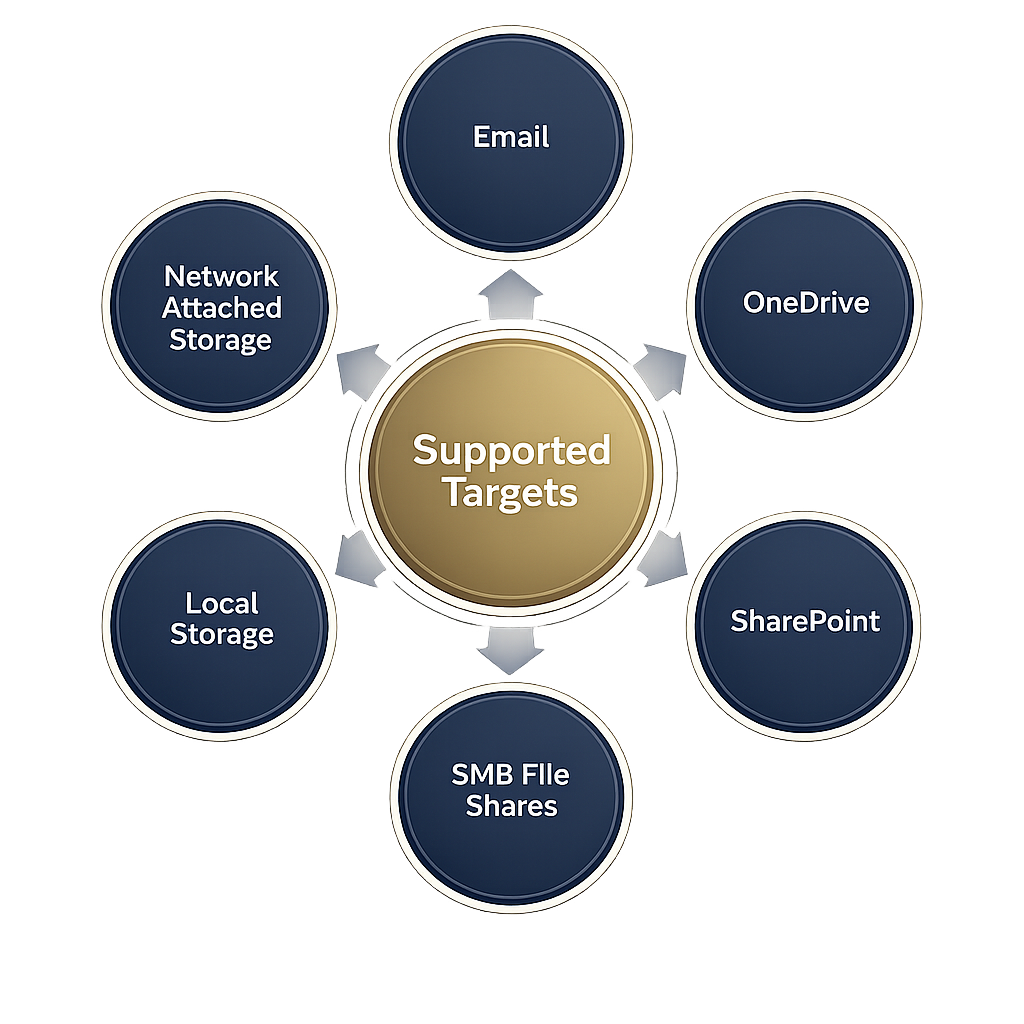
Discovery should address the systems where the organization actually stores and exchanges information, including approved Microsoft 365 environments, file shares, engineering repositories, email systems, endpoints, archives, scans, PDFs, CAD files, images, and other supported sources.
Results should provide enough information for administrators and compliance teams to understand what was identified and where it was found.
Useful information can include:
Automated findings should not automatically be treated as confirmed CUI.
A validation and sampling process helps distinguish relevant findings from false positives and creates a stronger basis for boundary and compliance decisions.
Discovery results should support inventories, exception reports, boundary documentation, monitoring records, and other evidence used in compliance planning and assessment preparation.
A one-time discovery scan provides only a point-in-time view. Recurring scans help identify new files, unexpected movement, and CUI that appears outside approved locations after the initial boundary has been established.
CMMC scope depends on the information systems that process, store, or transmit applicable FCI or CUI.
When an organization does not know where its CUI exists, it may over-scope or under-scope the environment.
Over-scoping can increase licensing, infrastructure, consulting, control implementation, documentation, and assessment costs.
Under-scoping can leave relevant users, systems, repositories, or workflows outside the documented boundary.
Accurate CUI discovery helps organizations answer foundational questions before making major compliance investments:
Once CUI is identified, administrators may determine that certain files need to be moved into an approved enclave, deleted under an authorized process, access-restricted, or otherwise addressed.
Teramis supports this work by providing file-level information about where potential CUI exists.
Teramis does not perform the remediation. It gives authorized administrators, security teams, and service partners the information needed to decide what action should be taken.
This distinction matters. Discovery identifies and documents the condition. The organization or its authorized provider executes the corrective action.
Normal business activity can move CUI outside its approved boundary.
Examples include:
Recurring scans help identify these conditions after the initial discovery or migration project is complete.
The objective is not to claim that spillage can never occur. The objective is to detect unexpected CUI movement earlier and provide information that supports an appropriate response.
When DFARS 252.204-7012 applies and a contractor discovers a qualifying cyber incident, the contractor must review affected systems for evidence of compromised covered defense information and rapidly report the incident to DoD.
Under the clause, “rapidly report” means within 72 hours of discovery. Contractors must also preserve relevant system images and monitoring information for at least 90 days following the report.
Determining whether CUI existed in affected systems can therefore be an important part of incident analysis.
CUI discovery software can help identify relevant files and locations within the affected environment. It does not determine the organization’s legal reporting obligation, replace incident-response professionals, or make the final reporting decision.
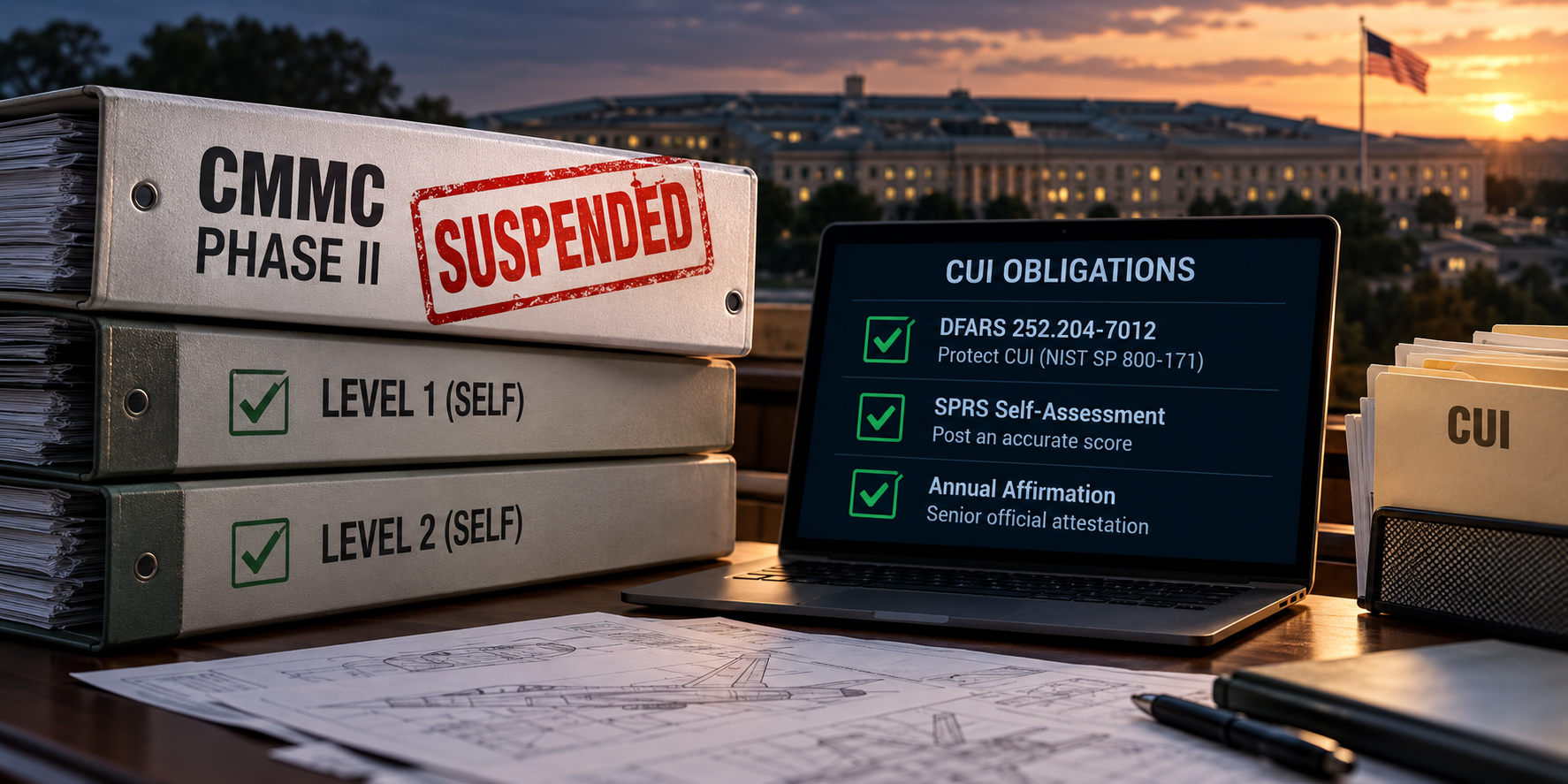
On July 13, 2026, the Department suspended CMMC Phase II requirements that had been scheduled to begin on November 10, 2026.
Phase I self-assessment requirements remain in place. The Department has also stated that it will continue enforcing NIST SP 800-171 Revision 2 through self-assessments and selected government-led assessments.
The suspension does not eliminate the requirement to protect covered defense information under applicable contracts or make CUI location irrelevant.
Defense contractors still need to understand:
Accurate discovery remains a necessary foundation for self-assessment, security planning, incident response, enclave decisions, and future certification activity.
Teramis is purpose-built for forensic CUI discovery, validation, CMMC boundary support, and continuous monitoring.
The platform is designed to help organizations examine approved data sources across environments such as Microsoft 365, file shares, engineering repositories, CAD files, PDFs, scans, images, archives, email systems, endpoints, and other supported repositories.
Teramis runs within the customer environment, keeping scanning and analysis under customer control. Its validation process can support accuracy of up to 99.95 percent, depending on the applicable configuration, environment, workflow, and validation conditions.
Teramis helps organizations:
Teramis does not move, tag, alter, delete, or remediate CUI. It provides the visibility and evidence administrators and partners need to make informed decisions and take authorized action.
The enterprise CUI problem cannot be solved through exhaustive manual review.
There are too many files, too many repositories, too many formats, and too many ways information can move after the review is complete.
The stronger approach is to combine purpose-built discovery, validation, file-level evidence, and recurring monitoring.
Find the CUI you actually have. Validate the boundary. Monitor what changes.
Request a Teramis demonstration to see how evidence-based CUI discovery can support your organization’s CMMC scoping and monitoring strategy.
Large organizations may have millions of files across cloud platforms, file shares, endpoints, email, archives, and engineering repositories. Reviewing each file manually can require decades of labor, and the resulting inventory begins becoming outdated as soon as files move or new information is created.
CUI discovery software should help identify candidate CUI, its location, repository, file type, and supporting context. Findings should then be validated before they are treated as confirmed CUI or used to make boundary decisions.
No. Teramis identifies, validates, categorizes, catalogs, and reports CUI locations. Administrators, security teams, or authorized service providers determine and perform the appropriate remediation or migration action.
No. Phase I self-assessment requirements remain in place, and applicable contractual requirements, including DFARS and NIST SP 800-171 obligations, continue to apply.
CUI discovery can help determine whether potential CUI existed in systems or repositories affected by a cyber incident. That information can support technical analysis and reporting decisions, but it does not replace legal, contractual, or incident-response review.
.png?width=1774&height=887&name=ChatGPT%20Image%20Aug%203%2c%202026%2c%2001_58_55%20PM%20(2).png)